Grab the shot. Keep your momentum.
Capture a region, window, full screen, scrolling page, or recording without breaking your flow.
Beautiful screenshots and screen recordings
Capture, polish, and share screenshots and screen recordings that actually feel finished, without bouncing between a pile of tools.
Early access, product updates, launch pricing, and no spam. Ever.
Capture a region, window, full screen, scrolling page, or recording without breaking your flow.
Add clean framing, backgrounds, annotations, motion, captions, and more without becoming a designer or video editor.
Create polished screenshots and recordings for docs, demos, support, launches, portfolios, social posts, and everything in between.
Especially on Windows, getting from captured to presentable usually means bouncing between basic capture tools, design apps, and video editors. FlairDirector brings the entire workflow together.
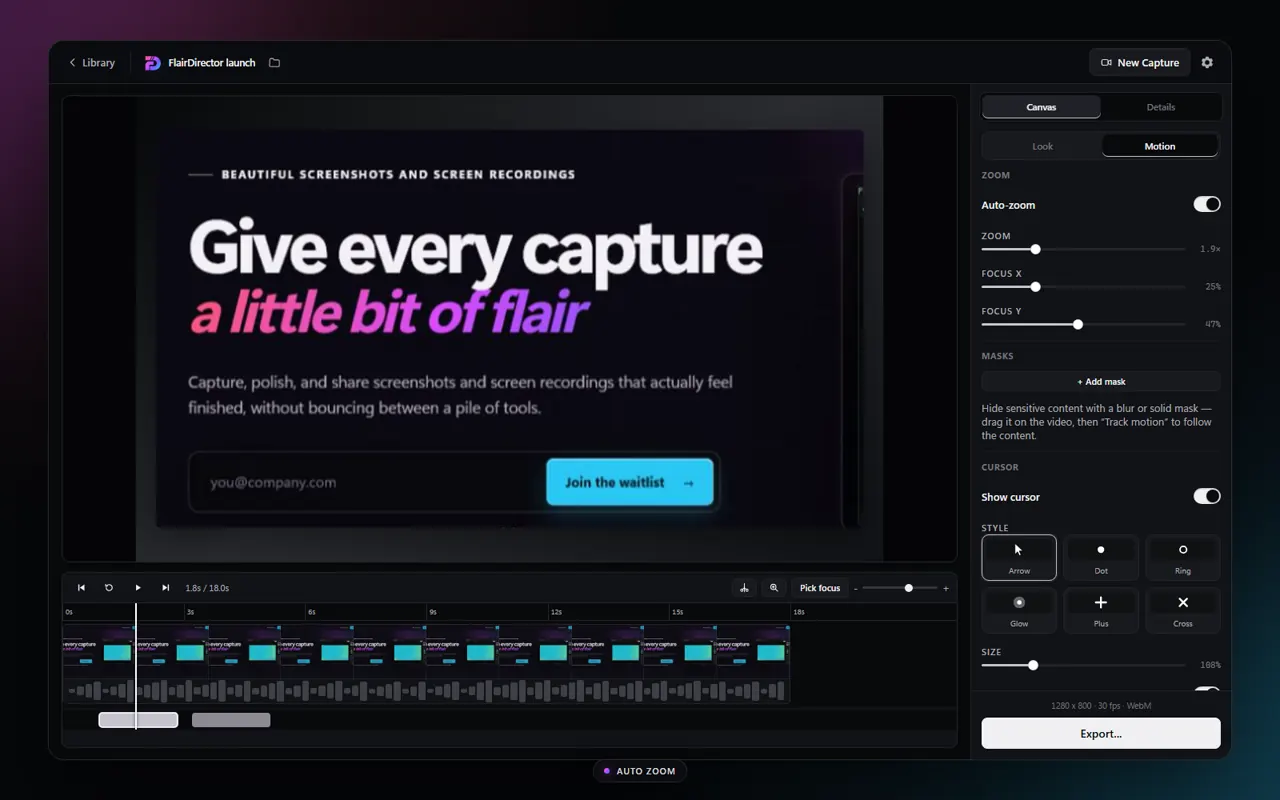 Auto zoom · Motion controls
Smooth cursor motion and focused zooms help every click land with purpose, without hand-animating a timeline.
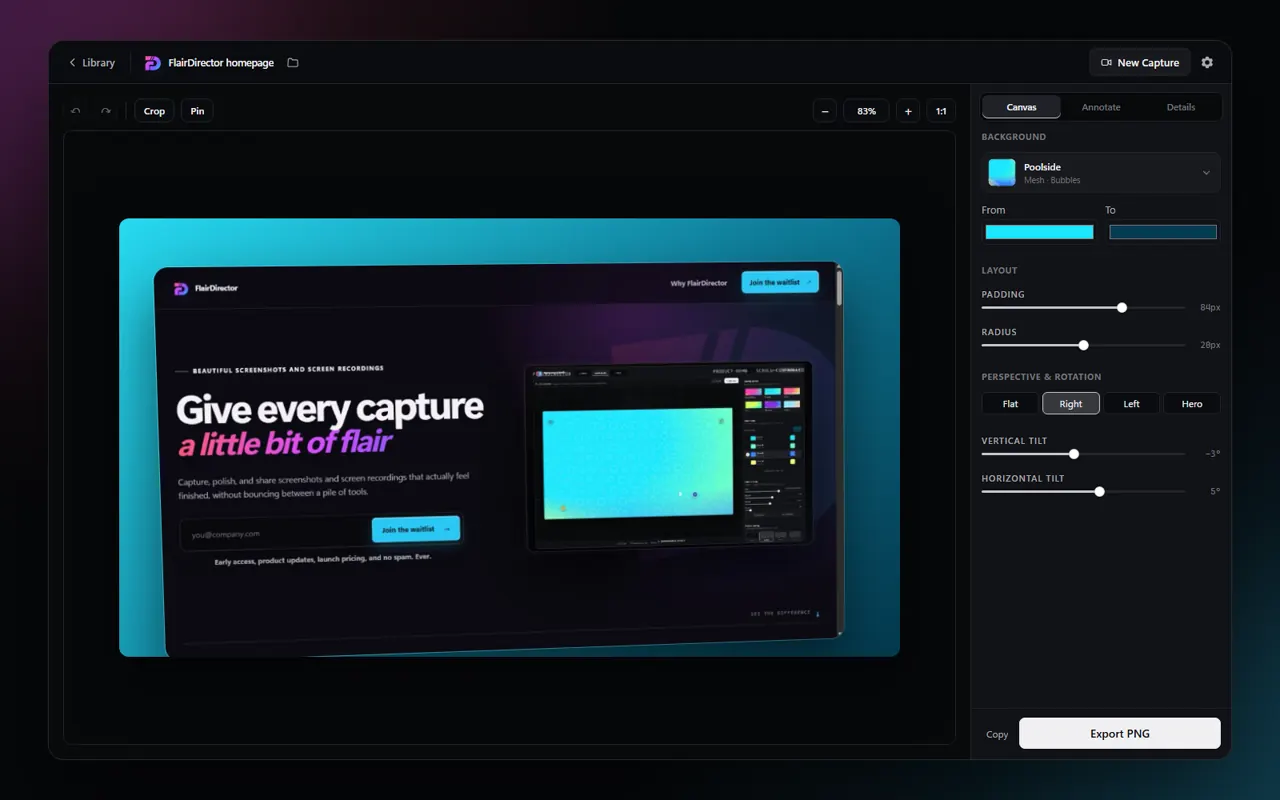 Screen capture · Canvas controls
Add backgrounds, padding, rounded corners, shadows, annotations, and framing before the image ever leaves FlairDirector.
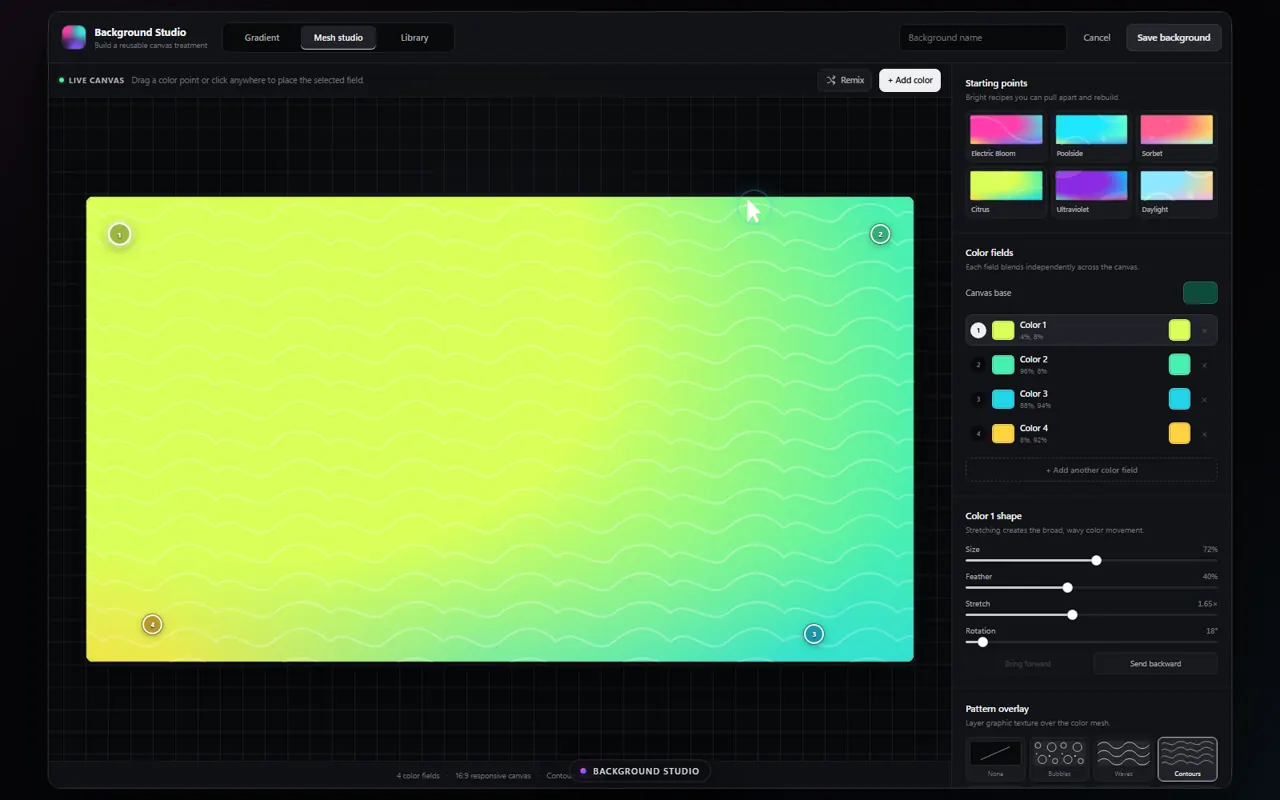 Background Studio · Custom canvas
Start with polished presets or build reusable gradients, color fields, and pattern overlays in Background Studio.
Everything in one place
Capture, edit, frame, annotate, trim, caption, and export without handing your work off between a collection of disconnected apps.
Coming soon to the Microsoft Store
Join the waitlist for early access, launch updates, and early-bird pricing when FlairDirector arrives on Windows.
Early access, product updates, launch pricing, and no spam. Ever.